
A simple example to get started
In this example, we’ll use base R’s airquality dataset.
head(airquality)
#   Ozone Solar.R Wind Temp Month Day
# 1    41     190  7.4   67     5   1
# 2    36     118  8.0   72     5   2
# 3    12     149 12.6   74     5   3
# 4    18     313 11.5   62     5   4
# 5    NA      NA 14.3   56     5   5
# 6    28      NA 14.9   66     5   6
Our goal is to create an analysis pipeline that performs the following steps:
- add new data column
Temp.Celsiuscontaining the temperature in degrees Celsius - fit a linear model to the data
- plot the data and the model fit.
In the following, we’ll show how to define and run the pipeline, how to inspect the output of specific steps, and finally how to re-run the pipeline with different parameter settings, which is one of the selling points of using such a pipeline.
Pipeline building
For easier understanding, we go step by step. First, we create a new
pipeline with the name “my-pipeline” and add a data step
that provides the input dataset.
library(pipeflow)

pip <- pip_new("my-pip")

pip <- pip_add(
    pip,
    step = "data",
    fun = function(data = airquality) data
)
For each step, at minimum we specify the name of the step (here
step = "data) and a function (fun) that
defines what is computed in that step. Let’s take a first look at the
pipeline.
pip
# <pipeflow> my-pip (1 step)
# --------------------------
#    step params depends state
# 1: data   data           new
# --------------------------
# <ready> last run: never
Each step is represented by one row in the table, which currently shows four columns:
-
stepthe name of the step -
paramsthe names of the function parameters -
dependsthe dependencies of a step (more on that below) -
statethe state of each step, which initially is always set tonew
Next, we want to add a step called prep, which prepares
our original data by adding the new column "Temp.Celsius".
This means, our prep step will have to use the output of
the data step. To refer to the output of an earlier
pipeline step, we just write its name preceded with the tilde (~)
operator, which in this case means ~data.
Since pip_add works “by reference”, we can add the step
as follows:
pip |> pip_add(
    "prep",
    function(df = ~data) {
        df[, "Temp.Celsius"] <- (df[, "Temp"] - 32) * 5 / 9
        df
    }
)
To reiterate: function(df = ~data) basically means that
once this function gets called df will contain whatever was
produced last by the data step.
So, a second step called prep was added and it depends
on the data step, which is also marked in the 2nd row in
column depends.
pip
# <pipeflow> my-pip (2 steps)
# ---------------------------
#    step params depends state
# 1: data   data           new
# 2: prep     df    data   new
# ---------------------------
# <ready> last run: never
Next, we want to add a step called fit that fits a
linear model to the data. The function is using the
prepared data and defines a parameter xVar,
which determines the variable that is used as predictor in the linear
model.
pip |> pip_add(
    "fit",
    function(data = ~prep,
             xVar = "Temp.Celsius") {
        lm(paste("Ozone ~", xVar), data = data)
    }
)

pip
# <pipeflow> my-pip (3 steps)
# ---------------------------
#    step    params depends state
# 1: data      data           new
# 2: prep        df    data   new
# 3:  fit data,xVar    prep   new
# ---------------------------
# <ready> last run: never
Lastly, we add a step called plot, which plots the data
and the linear model fit. This function references both the
fit and prep step. As in the previous step, it
defines the xVar parameter plus two more plot-specific
parameters xLab and title.
pip |> pip_add(
    "plot",
    function(model = ~fit,
             data = ~prep,
             xVar = "Temp.Celsius",
             xLab = "Temperature in degrees Celsius",
             title = "Linear model fit") {
        require(ggplot2, quietly = TRUE)
        coeffs <- coefficients(model)
        ggplot(data) +
            geom_point(aes(.data[[xVar]], .data[["Ozone"]])) +
            geom_abline(intercept = coeffs[1], slope = coeffs[2]) +
            labs(title = title, x = xLab)
    }
)
In the depends column of row 4:, we see
that the plot step depends on both the fit and
the prep step.
pip
# <pipeflow> my-pip (4 steps)
# ---------------------------
#    step                     params  depends state
# 1: data                       data            new
# 2: prep                         df     data   new
# 3:  fit                  data,xVar     prep   new
# 4: plot model,data,xVar,xLab,title fit,prep   new
# ---------------------------
# <ready> last run: never
In addition to the tabular output, {pipeflow} also provides a
graphical representation that is compatible with the
visNetwork package. The pip_graph() function
returns a list of arguments that can be feed directly to
visNetwork::visNetwork().
library(visNetwork)
do.call(visNetwork, args = pip_graph(pip)) |>
    visHierarchicalLayout(direction = "LR")
Here, the pipeline is visualized as a directed acyclic graph (DAG) where the nodes represent the steps and the edges represent the dependencies.
Pipeline integrity
A key feature of {pipeflow} is that the integrity of a pipeline is verified at definition time. To see this, let’s try to add another step that referencing step that does not exist in the pipeline.
pip |> pip_add(
    "another_step",
    function(x = ~upsi) {
        x
    }
)
# Error:
# ! while adding step 'another_step' - cannot reference unknown steps: 'upsi'
{pipeflow} immediately signals an error and the pipeline remains unchanged.
pip
# <pipeflow> my-pip (4 steps)
# ---------------------------
#    step                     params  depends state
# 1: data                       data            new
# 2: prep                         df     data   new
# 3:  fit                  data,xVar     prep   new
# 4: plot model,data,xVar,xLab,title fit,prep   new
# ---------------------------
# <ready> last run: never
Pipeline run and output
To run the pipeline, we simply call pip_run(), which
produces the following output:
pip_run(pip)
# info [2026-10-13 15:27:17.731 UTC]: Starting run of pipeflow 'my-pip'
# info [2026-10-13 15:27:17.731 UTC]: Step 1/4 data
# info [2026-10-13 15:27:17.732 UTC]: Step 2/4 prep
# info [2026-10-13 15:27:17.735 UTC]: Step 3/4 fit
# info [2026-10-13 15:27:17.738 UTC]: Step 4/4 plot
# info [2026-10-13 15:27:18.051 UTC]: Finished run of pipeflow 'my-pip'
Let’s inspect the pipeline again.
pip
# <pipeflow> my-pip (4 steps)
# ---------------------------
#    step                     params  depends state                 out
# 1: data                       data           done <data.frame[153x6]>
# 2: prep                         df     data  done <data.frame[153x7]>
# 3:  fit                  data,xVar     prep  done            <lm[13]>
# 4: plot model,data,xVar,xLab,title fit,prep  done   <ggplot2::ggplot>
# ---------------------------
# <ready> last run: 2026-10-13 15:27:18
We can see that the state of all steps have been changed
from new to done, which graphically is
represented by the color change from blue to green.
In addition, the output was added in a new out column1. To access
a single value of the pipeline, we just select the row (aka step) and a
column of the pipeline table via the [[ operator. For
example, to inspect the output of the fit and
plot steps, we do:
pip[["fit", "out"]]
#
# Call:
# lm(formula = paste("Ozone ~", xVar), data = data)
#
# Coefficients:
#  (Intercept)  Temp.Celsius
#      -69.277         4.372
pip[["plot", "out"]]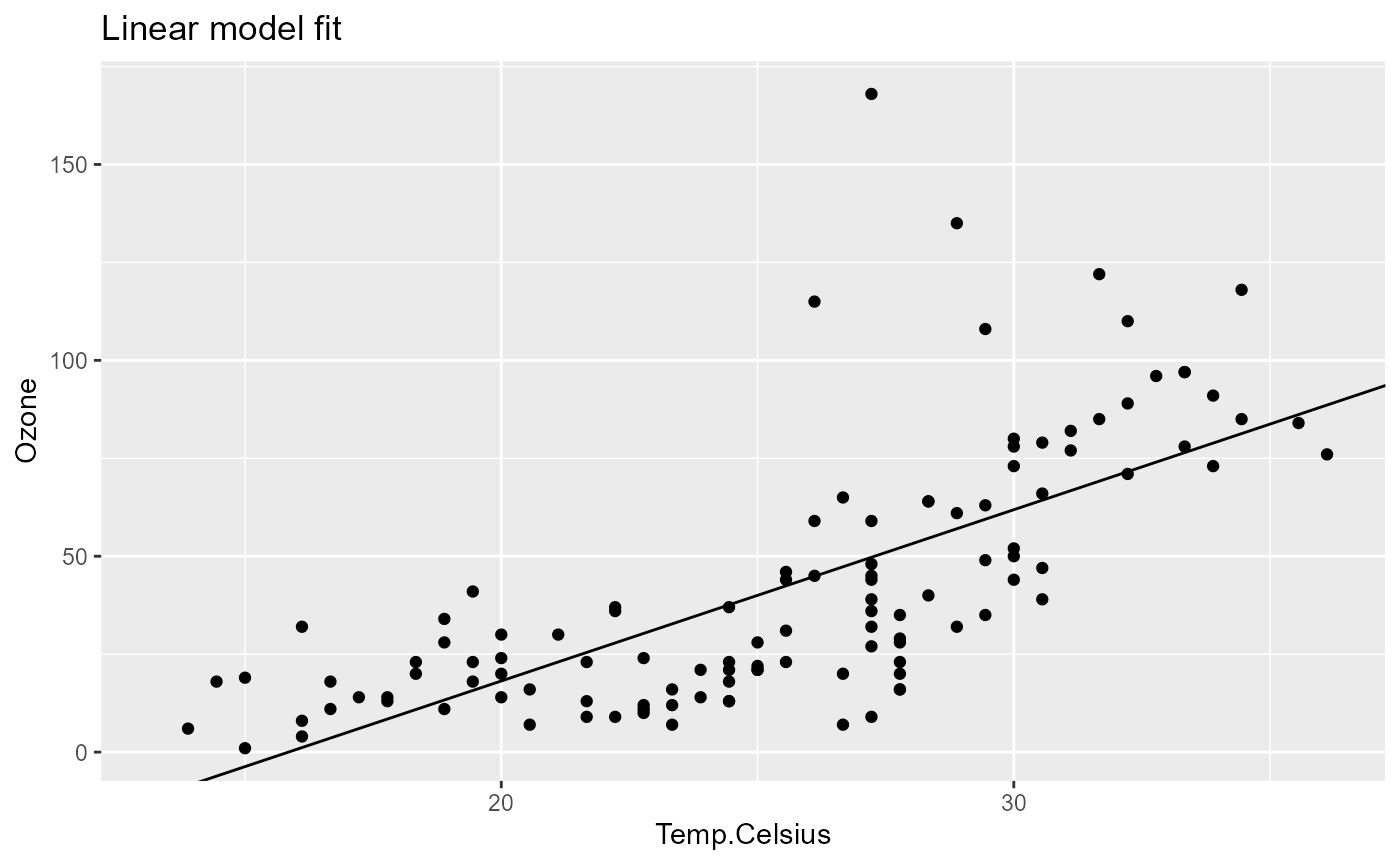
Pipeline parameters
Even for a moderately complex analysis consisting of, say, 15 to 20 different functions, keeping track of all the different analysis parameters can quickly get out of hand.
As we will see, with {pipeflow} this becomes much easier, since the
pipeline itself keeps track of all parameters and their values. Let’s
first inspect the parameters of the above defined pipeline using the
pip_get_params() function.
pip_get_params(pip) |> str()
# List of 4
#  $ data :'data.frame':    153 obs. of  6 variables:
#   ..$ Ozone  : int [1:153] 41 36 12 18 NA 28 23 19 8 NA ...
#   ..$ Solar.R: int [1:153] 190 118 149 313 NA NA 299 99 19 194 ...
#   ..$ Wind   : num [1:153] 7.4 8 12.6 11.5 14.3 14.9 8.6 13.8 20.1 8.6 ...
#   ..$ Temp   : int [1:153] 67 72 74 62 56 66 65 59 61 69 ...
#   ..$ Month  : int [1:153] 5 5 5 5 5 5 5 5 5 5 ...
#   ..$ Day    : int [1:153] 1 2 3 4 5 6 7 8 9 10 ...
#  $ xVar : chr "Temp.Celsius"
#  $ xLab : chr "Temperature in degrees Celsius"
#  $ title: chr "Linear model fit"
It returns a list of all unbound parameters (here
data, xVar, xLab, title). By unbound we mean that
the values of these parameters don’t depend on other steps
(i.e. parameters defined with the ~ operator) and therefore
can be adjusted freely.
Also note that each parameter is only listed once, even if it’s used
in multiple steps2. To change parameters, we simply call
pip_set_params():
pip |>
    pip_set_params(list(xVar = "Solar.R", xLab = "Solar radiation in Langleys"))

pip_get_params(pip) |> str()
# List of 4
#  $ data :'data.frame':    153 obs. of  6 variables:
#   ..$ Ozone  : int [1:153] 41 36 12 18 NA 28 23 19 8 NA ...
#   ..$ Solar.R: int [1:153] 190 118 149 313 NA NA 299 99 19 194 ...
#   ..$ Wind   : num [1:153] 7.4 8 12.6 11.5 14.3 14.9 8.6 13.8 20.1 8.6 ...
#   ..$ Temp   : int [1:153] 67 72 74 62 56 66 65 59 61 69 ...
#   ..$ Month  : int [1:153] 5 5 5 5 5 5 5 5 5 5 ...
#   ..$ Day    : int [1:153] 1 2 3 4 5 6 7 8 9 10 ...
#  $ xVar : chr "Solar.R"
#  $ xLab : chr "Solar radiation in Langleys"
#  $ title: chr "Linear model fit"
{pipeflow} automatically propagates new parameter values to all steps
that use it. In addition, it will recognize which steps are affected by
the parameter change and mark them as outdated (see column
state).
pip
# <pipeflow> my-pip (4 steps)
# ---------------------------
#    step                     params  depends    state                 out
# 1: data                       data              done <data.frame[153x6]>
# 2: prep                         df     data     done <data.frame[153x7]>
# 3:  fit                  data,xVar     prep outdated            <lm[13]>
# 4: plot model,data,xVar,xLab,title fit,prep outdated   <ggplot2::ggplot>
# ---------------------------
# <ready> last run: 2026-10-13 15:27:18
We can see that the fit and plot steps are
now in state outdated, because the xVar and
xLab parameters were updated. To update the results, we
just run the pipeline again.
pip_run(pip)
# info [2026-10-13 15:27:19.065 UTC]: Starting run of pipeflow 'my-pip'
# info [2026-10-13 15:27:19.065 UTC]: Step 1/4 data - skipping done step
# info [2026-10-13 15:27:19.065 UTC]: Step 2/4 prep - skipping done step
# info [2026-10-13 15:27:19.066 UTC]: Step 3/4 fit
# info [2026-10-13 15:27:19.069 UTC]: Step 4/4 plot
# info [2026-10-13 15:27:19.088 UTC]: Finished run of pipeflow 'my-pip'
A closer look at the run log shows that the pipeline skipped the
first two steps and ran only the steps that were outdated, which
basically can be thought of caching or mimicking the behavior of
make in software development. That is, {pipeflow} always
keeps track of the step states and only re-runs those where its
necessary. This can be a huge time saver in larger pipelines3.
After the re-run, we can see that the output was updated accordingly
now showing the new x-variable Solar.R.
pip[["plot", "out"]]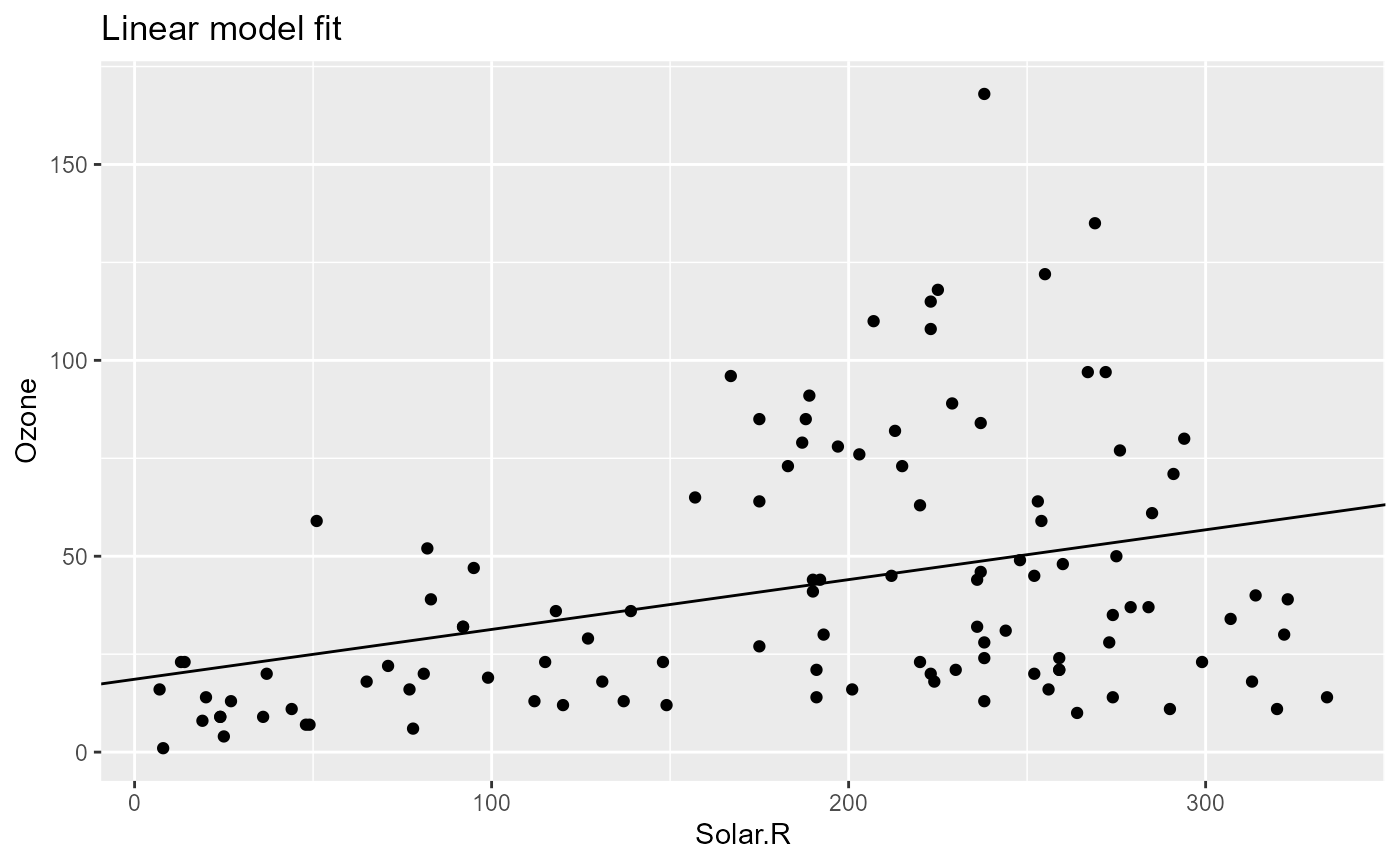
Let’s visit some more examples of parameter changes and their effects
on the pipeline. To just change the title of the plot, only the
plot step needs to be rerun.
pip |> pip_set_params(list(title = "Some new title"))
pip
# <pipeflow> my-pip (4 steps)
# ---------------------------
#    step                     params  depends    state                 out
# 1: data                       data              done <data.frame[153x6]>
# 2: prep                         df     data     done <data.frame[153x7]>
# 3:  fit                  data,xVar     prep     done            <lm[13]>
# 4: plot model,data,xVar,xLab,title fit,prep outdated   <ggplot2::ggplot>
# ---------------------------
# <ready> last run: 2026-10-13 15:27:19
pip_run(pip)
# info [2026-10-13 15:27:19.523 UTC]: Starting run of pipeflow 'my-pip'
# info [2026-10-13 15:27:19.523 UTC]: Step 1/4 data - skipping done step
# info [2026-10-13 15:27:19.523 UTC]: Step 2/4 prep - skipping done step
# info [2026-10-13 15:27:19.523 UTC]: Step 3/4 fit - skipping done step
# info [2026-10-13 15:27:19.523 UTC]: Step 4/4 plot
# info [2026-10-13 15:27:19.534 UTC]: Finished run of pipeflow 'my-pip'
pip[["plot", "out"]]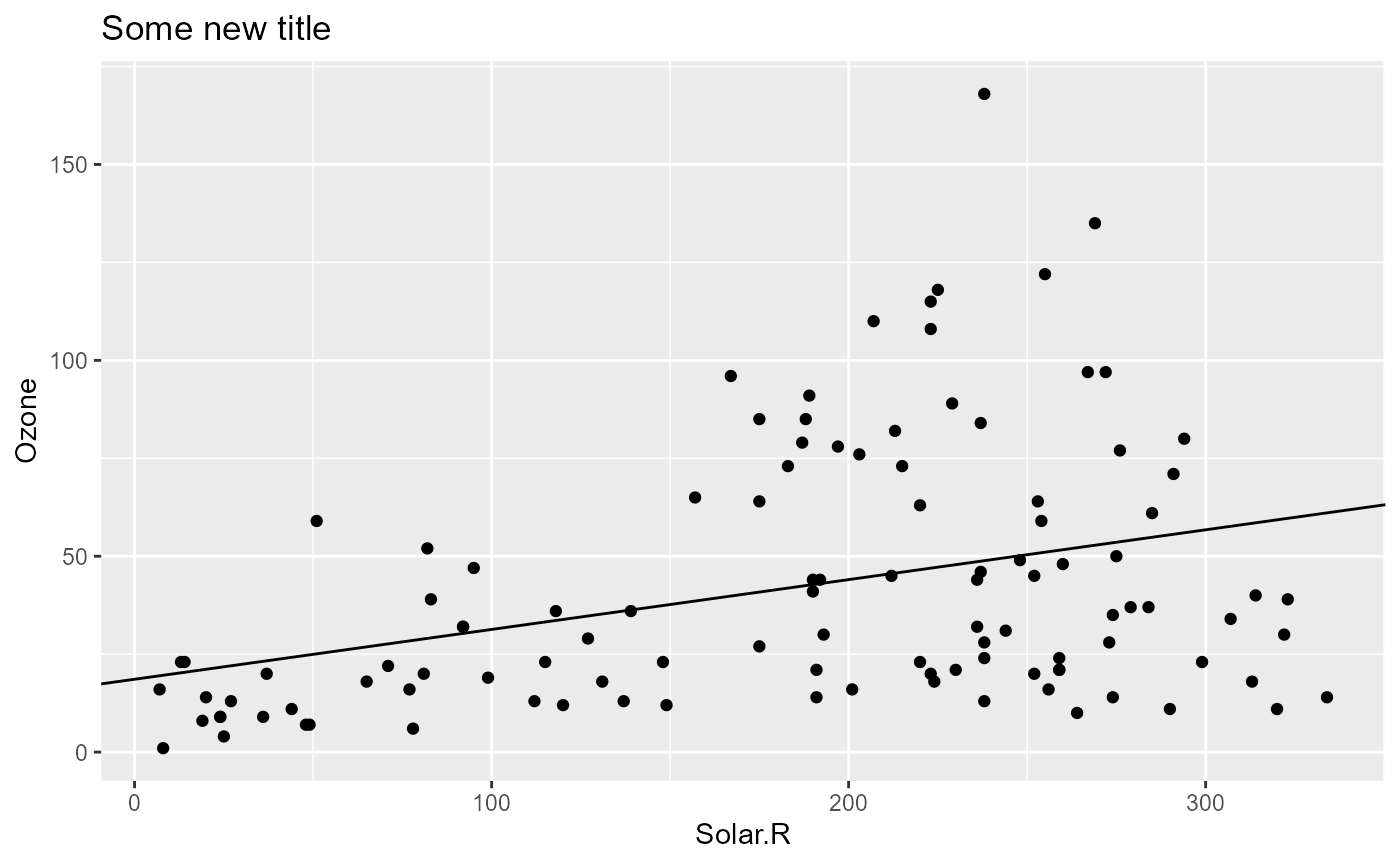
Once we change the input data parameter from the data
step, since all other steps depend on it, we expect all steps to be
rerun.
small_airquality <- airquality[1:10, ]
pip |> pip_set_params(list(data = small_airquality))
pip
# <pipeflow> my-pip (4 steps)
# ---------------------------
#    step                     params  depends    state                 out
# 1: data                       data          outdated <data.frame[153x6]>
# 2: prep                         df     data outdated <data.frame[153x7]>
# 3:  fit                  data,xVar     prep outdated            <lm[13]>
# 4: plot model,data,xVar,xLab,title fit,prep outdated   <ggplot2::ggplot>
# ---------------------------
# <ready> last run: 2026-10-13 15:27:19
pip_run(pip)
# info [2026-10-13 15:27:19.864 UTC]: Starting run of pipeflow 'my-pip'
# info [2026-10-13 15:27:19.864 UTC]: Step 1/4 data
# info [2026-10-13 15:27:19.866 UTC]: Step 2/4 prep
# info [2026-10-13 15:27:19.870 UTC]: Step 3/4 fit
# info [2026-10-13 15:27:19.872 UTC]: Step 4/4 plot
# info [2026-10-13 15:27:19.882 UTC]: Finished run of pipeflow 'my-pip'
pip[["plot", "out"]]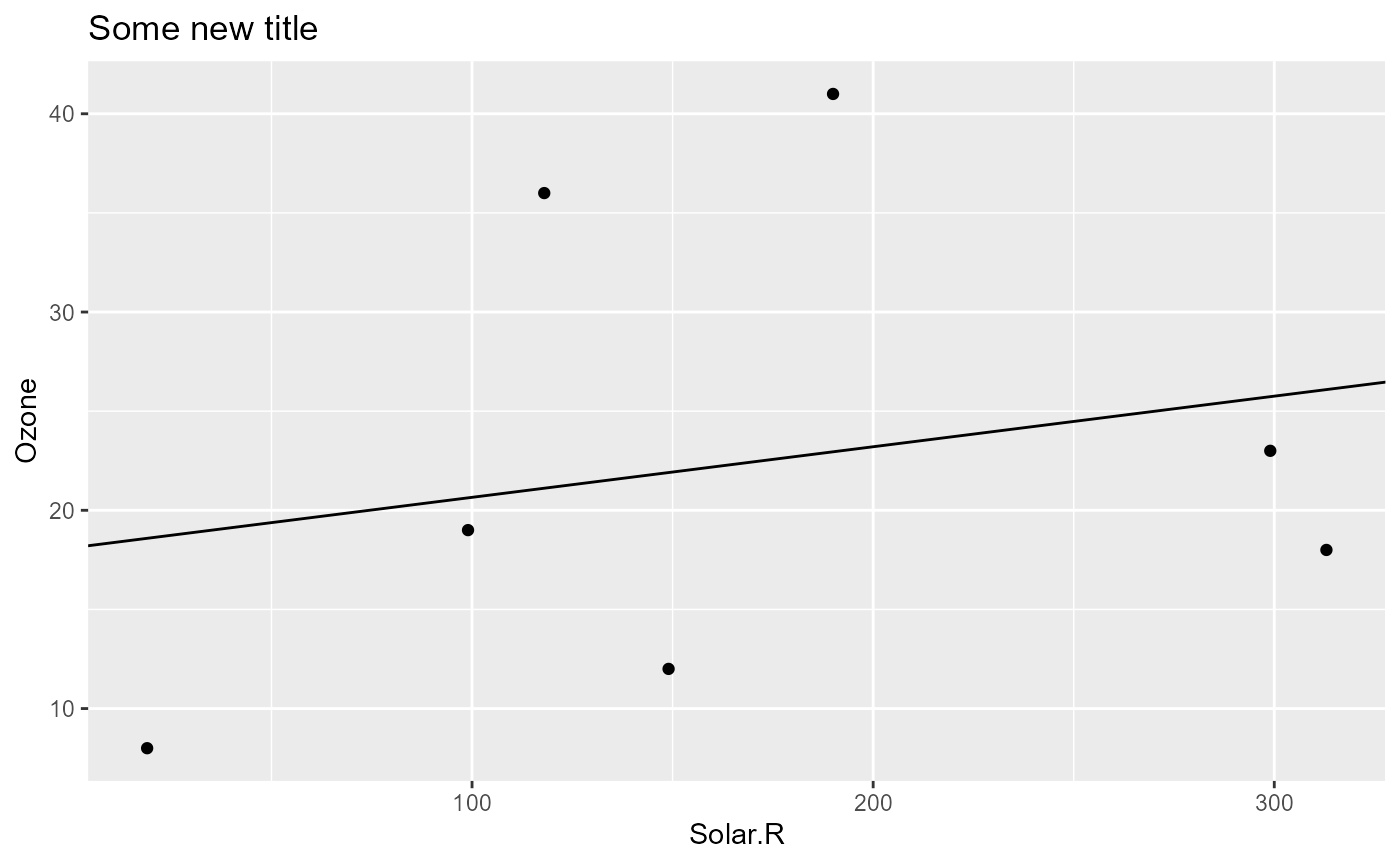
Setting Identical Values
Setting a parameter to the value it already has is not a change, so {pipeflow} leaves the step states alone and nothing needs to be re-run. This is handy for apps that pass on all inputs whenever just one of them changed.
pip |> pip_set_params(list(title = "Some new title", data = small_airquality))
pip
# <pipeflow> my-pip (4 steps)
# ---------------------------
#    step                     params  depends state                out
# 1: data                       data           done <data.frame[10x6]>
# 2: prep                         df     data  done <data.frame[10x7]>
# 3:  fit                  data,xVar     prep  done           <lm[13]>
# 4: plot model,data,xVar,xLab,title fit,prep  done  <ggplot2::ggplot>
# ---------------------------
# <ready> last run: 2026-10-13 15:27:19
If you do want to outdate the steps anyway, for example because a
parameter is an environment that was modified in place, use
force = TRUE.
pip |> pip_set_params(list(title = "Some new title"), force = TRUE)
pip
# <pipeflow> my-pip (4 steps)
# ---------------------------
#    step                     params  depends    state                out
# 1: data                       data              done <data.frame[10x6]>
# 2: prep                         df     data     done <data.frame[10x7]>
# 3:  fit                  data,xVar     prep     done           <lm[13]>
# 4: plot model,data,xVar,xLab,title fit,prep outdated  <ggplot2::ggplot>
# ---------------------------
# <ready> last run: 2026-10-13 15:27:19
Handling Unknown Parameters
Last but not least let’s try to set a parameter that doesn’t exist in the pipeline.
pip |> pip_set_params(list(title = "warn me", foo = "my foo"))
# Warning in pip_set_params(pip, list(title = "warn me", foo = "my foo")): Trying to set parameters
# not defined in the target: foo

pip_get_params(pip)$title
# [1] "warn me"
By default, all existing parameters are set, and a warning is given
to the user notifying about the unknown parameter names. If you set
parameters programmatically and know that some of them are not used by
the pipeline, you can silence the warning via
unknown = "ignore".
pip |> pip_set_params(list(foo = "ignore me"), unknown = "ignore")

pip_get_params(pip)$title
# [1] "warn me"
On the other hand, if an unknown parameter should never go unnoticed,
use unknown = "error". In this case, nothing is changed at
all, not even the valid parameters:
pip |> pip_set_params(
    list(title = "Not set", foo = "my foo"),
    unknown = "error"
)
# Error:
# ! Trying to set parameters not defined in the target: foo
pip_get_params(pip)$title
# [1] "warn me"
Next, let’s see how to modify the pipeline.